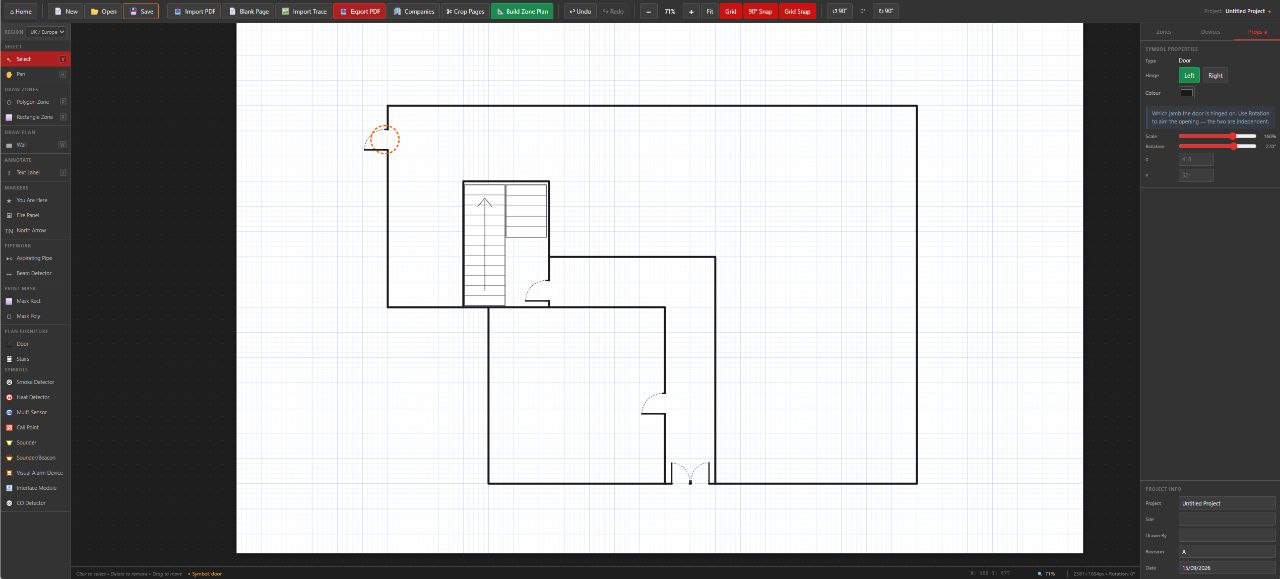
No CAD skills required

Create professional fire alarm zone plans in minutes

Import any floor plan PDF, draw your zones, place EN54-compliant symbols, and export a finished plan that looks ready for client handover from the very first job.

PDF import & export
EN54 symbol library
Unlimited plans
Free to try · from £49.99
Windows desktop app
No browser required
EN54 compliant
Industry-standard symbols
PDF import & export
Works with any floor plan
Free to try
Licence from £49.99 + VAT
Finished output

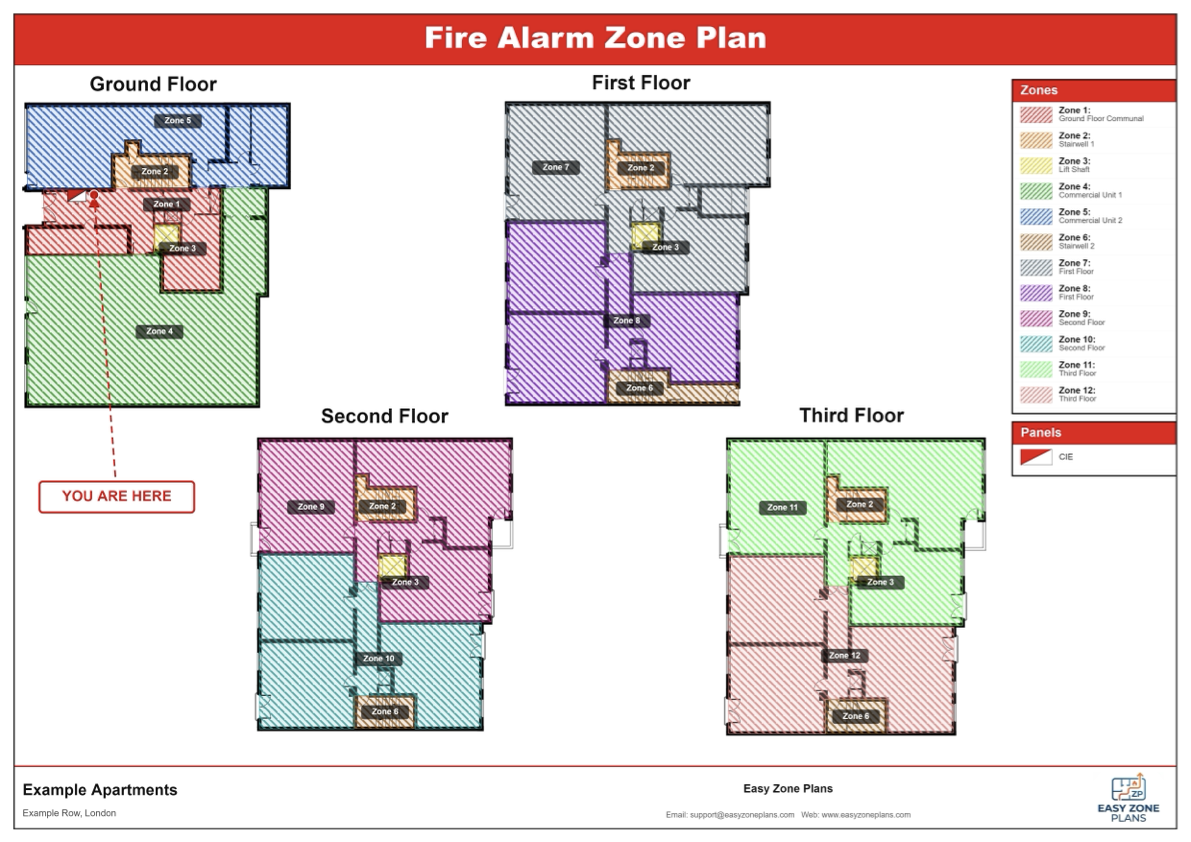
See the kind of zone plan you can hand over

A real exported example from Easy Zone Plans.

Full exported fire alarm zone plan example
Features

Everything you need to create compliant zone plans

Easy Zone Plans replaces expensive CAD software and outsourced drafting with a tool built specifically for fire alarm engineers.

PDF floor plan import

Import any floor plan PDF and start adding zones immediately — right on top of your existing drawing.

Zone overlay drawing

Draw clean zone boundaries directly on your floor plan. Colour-coded zones for easy reading.

EN54 symbol library

A built-in library of industry-standard symbols for detectors, call points, sounders, and more.

Evacuation & egress plans

Create compliant evacuation plans with escape routes, assembly points, and exit markers.

Company branding

Add your logo and details to every plan. Deliver branded, professional documents.

One-click PDF export

Export finished plans as high-quality PDFs, ready for clients or compliance review.

Built for real-world jobs

Who Easy Zone Plans is for

Easy Zone Plans was built for people who need clear, professional fire alarm and evacuation drawings without the cost and complexity of full CAD software.

Fire alarm engineers

Create compliant zone plans quickly from existing floor plans, without redrawing a building from scratch.

Fire & security contractors

Produce client-ready documents in-house instead of outsourcing every drawing to a CAD technician.

Life safety consultants

Prepare clear fire alarm zone plans and evacuation plans for handover packs, surveys, and compliance documentation.

How it works

From floor plan to finished zone plan in three steps

1

Import your floor plan

Import any PDF floor plan and you're ready to start placing zones and symbols straight away.

2

Draw zones & place symbols

Use the zone drawing tool to mark boundaries. Click to select an EN54 symbol and place it on your plan.

3

Export & deliver

Add your company branding and export a professional PDF. Ready to hand to your client.

Pricing

Simple, transparent pricing

Every plan includes unlimited zone plans and full access to all features.

6-Month
£49.99 +VAT
180 days unlimited
Buy 6-month licence
Pay As You Go
£10 +VAT
30 days · returning users
Returning customers

All plans include unlimited usage. Prices exclude VAT. See full pricing details →

Why people switch

A specialist alternative to generic CAD

Most fire alarm companies do not need a full CAD workflow just to produce a clean zone plan. They need a practical tool that helps them import a floor plan, mark zones clearly, place the right symbols, and export a professional PDF fast.

Easy Zone Plans is designed around that exact job. Instead of paying a drafter for each plan or spending hours wrestling with software built for architects, engineers can create compliant fire alarm zone plans and evacuation plans themselves. That means faster turnaround, better control over revisions, and a more professional document for the client handover pack.

If you want to see the full workflow, visit the features page, read the zone plan guide, or download the software free and try the demo on your own floor plans.

Trusted by fire safety professionals

What our users say

★★★★★

"We used to outsource all our zone plans to a CAD designer. Now we do them in-house in a fraction of the time."

JM
James M.
Fire Alarm Engineer
★★★★★

"The EN54 symbol library is a massive time saver. Everything's already there — I just click and place."

SR
Sarah R.
Life Safety Consultant
★★★★★

"I've got no CAD experience and I was producing professional zone plans within 20 minutes."

DK
David K.
Fire & Security Contractor

Ready to create your first zone plan?

Try Easy Zone Plans free — download, explore the demo inside the app, and activate your licence when you're ready.

Try it free

Windows desktop app · No credit card required